


Cocobi Baby Care - Babysitter
3.789.00 Reviews
App Specs
- Version
- 1.0.32
- Updated On
- License
- Free
- Downloads
- 10,000,000+
- Developer
- KIGLE
- Categories
- Educational
- Platform
- Android, iOS
Screenshots



 Analysis by AppCompare
When I want a gentle game that a young child can explore without a complicated setup, I look for clear actions, cheerful feedback, and room to play at a comfortable pace. Cocobi Baby Care - Babysitter aims for that kind of experience, with dinosaur friends and pretend-care activities at its center. I see it as an easygoing choice for short play sessions, especially for children who enjoy looking after characters, though it is not the same thing as a deep learning course or a demanding game with long-term goals.
A simple routine for a first play session
I would start by letting a child explore one activity at a time rather than trying to explain the whole game in advance. The care-game format gives children familiar ideas to act out, and the dinosaur setting makes the make-believe feel distinct from a more realistic babysitting simulator. That combination can help a child settle into play quickly: they can see a character, choose an action, and follow the game’s visual cues without needing a long set of instructions.
A practical use is a brief quiet-time activity while a caregiver is nearby. I would keep the first session short, then ask the child what they enjoyed doing and let that guide the next one. This gives the game a natural stopping point instead of turning it into an open-ended screen session. It also helps an adult tell whether the child is interested in the caregiving theme or is mostly drawn to the bright characters and animations.
What to check before handing over the device
The game is free to download, but it includes optional in-app purchases priced at $1.99 per item. I would check the device’s purchase settings before a young child plays independently, since a child may tap through prompts without understanding that a purchase involves money. That small bit of preparation is more useful than relying on a child to distinguish a play choice from a payment step.
Age suitability is another part of the decision. It is rated Everyone, which makes it broadly appropriate for family use, but that does not mean every child will enjoy the same pace or theme. I would sit with a younger player at first and see whether the activities are clear and comfortable for them. The game is made by KIGLE, and it is an educational game rather than a structured lesson app; I would treat its learning value as informal practice through play, not as a replacement for reading, conversation, or hands-on routines.
Building a repeatable play habit
For a smoother routine, I would make the game part of a predictable window—perhaps a short turn after a snack or while an adult is preparing something nearby—rather than using it as a reward that has to stretch longer each time. A consistent stopping cue, such as finishing the current activity and then putting the device away, can make transitions easier for a child. This is a useful habit with any children’s game, but it matters especially with bright, character-led play that can make “one more turn” tempting.
It can also help to let the child choose what to revisit instead of steering every action. When a child explains what they are doing, the adult can turn the play into conversation about caring, feelings, or routines without presenting the game as a lesson. I would avoid quizzing them while they play; a relaxed question afterward is more likely to keep the activity enjoyable and give a parent a better sense of what the child took from it.
Worth Reading Before You Choose

Flipboard Shows What News Apps Must Do Beyond the Feed

Switching to Android Auto Means Rethinking Your Driving Routine

Google Calendar Makes a Crowded Week Easier to Manage

Ludo King Makes the Most of the Minutes Between Plans

Baby Panda World Brings Quick Play to Modern Phones, but Its Game Library Feels Busy

ESPN’s Live Game View Makes Following Close Games Easier
Getting Started with Cocobi Baby Care
First things first, downloading Cocobi Baby Care was a breeze. The app is available on both Android and iOS, so no matter your device preference, you’re covered. Once installed, you’re greeted with a colorful and welcoming interface that screams "fun" right from the get-go.
The game’s premise is pretty straightforward: you’re tasked with taking care of adorable virtual babies. Sounds simple, right? But trust me, there’s more to it than meets the eye. The game is designed to give you a taste of babysitting with a playful twist, blending reality and imagination seamlessly.
Features That Stand Out
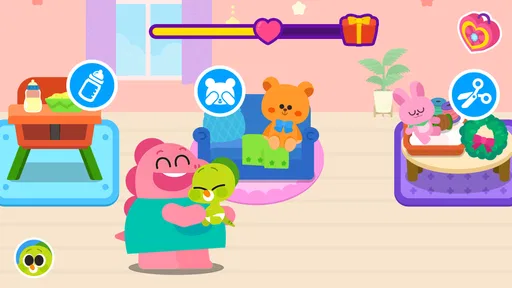
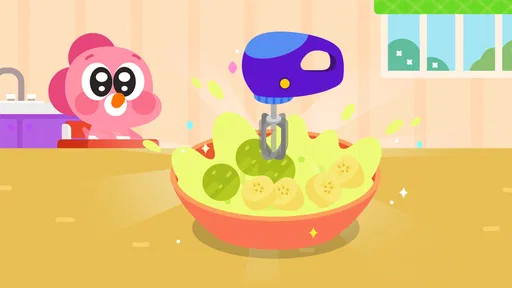
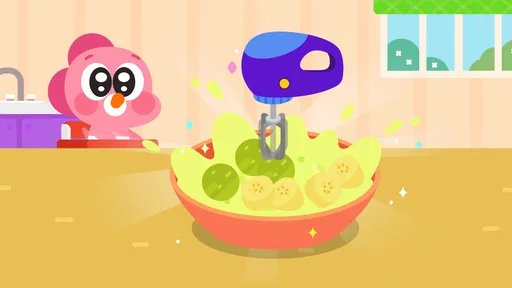
One of the first things I noticed was the variety of activities you can engage in. Whether it’s feeding the baby, changing diapers, or putting them to sleep, each task is crafted to feel intuitive and engaging. The developers have done a fantastic job at making each interaction feel realistic yet entertaining.
Another cool feature is the customization options. You can dress up the babies in different outfits, giving them unique styles. It’s like a mini fashion show, and it definitely brings out your inner stylist!
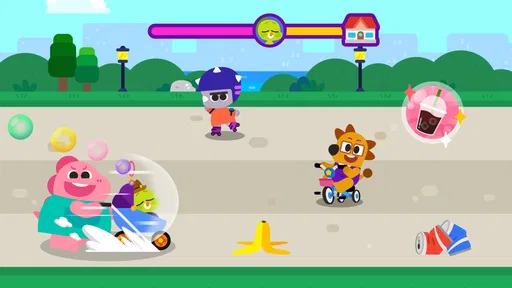
There’s also a range of mini-games that add a layer of depth to the experience. From playing with toys to solving puzzles, these games are not only fun but also educational. They’re perfect for keeping both kids and adults entertained for hours.
User Experience and Interface
Let’s talk about the user experience. The app’s navigation is smooth, with clear and simple menus that make it easy to switch between activities. The graphics are vibrant and colorful, which will surely keep younger players engaged. Plus, the animations are super cute and well-designed, adding to the overall charm of the game.
One thing I really appreciate is the sound design. The cheerful background music and sound effects enhance the overall gameplay without being too overwhelming. It strikes a nice balance that keeps the game lively and enjoyable.
How it fits beside other kids’ games
Compared with a drawing app, a matching game, or a standard puzzle collection, this one gives children a small pretend-care role to inhabit. That is its clearest difference: the appeal is not just tapping the right answer, but imagining what a character needs and deciding what to do next. For a child who likes dolls, toy animals, or playing “home,” that theme may hold attention better than abstract puzzles. A child who wants explicit letters, numbers, or a visible learning path may get more from a dedicated educational app instead.
I would also distinguish it from open-ended virtual worlds. A care game gives play a recognizable frame, which can be reassuring for a child who likes familiar routines, but it usually offers less freedom than a sandbox where players create their own stories. If a child keeps asking for new characters, elaborate challenges, or a long progression system, this may not be the right fit. I would choose it for gentle role-play, not as a substitute for every kind of play app.
Where the experience has limits
The relaxed pace is a strength, but it can also mean that children looking for challenge may lose interest once they have tried the activities that catch their eye. I would not expect the game to provide a steadily escalating set of goals or a deep skills curriculum. Its educational value is better understood as light interaction and imaginative play than as measurable instruction.
There is a practical trade-off in the caregiving theme, too. It can prompt conversation about routines, but an animated task is not a guide to real infant care. I would not use it to teach a child how to look after an actual baby or to suggest that virtual play prepares them for that responsibility. The game works best when everyone understands it as make-believe.
Parents may also want to decide in advance how they feel about optional purchases and screen time. The purchase price per item is easy to overlook in a child-focused game, so checking the relevant device controls is sensible. And while the game can fill a quiet interval, I would not make it the only way a child gets calm time; books, toys, and shared conversation offer different kinds of engagement that a screen cannot replace.
Who will enjoy it, and who may prefer something else
I think it is most suitable for children who enjoy caring for characters, choosing outfits, and moving between simple playful activities, with an adult close enough to help set boundaries. It may also suit a parent looking for a low-pressure game to share with a child: one person can let the child lead while asking occasional questions about the characters’ needs. The game’s Everyone age rating and approachable presentation make it easy to consider for family play, but a brief supervised try is still the best way to judge an individual child’s response.
I would skip it if the main goal is a structured school-style lesson, a competitive challenge, or a game that can hold an older child’s attention through complex systems. In those cases, a focused learning app, a tougher puzzle game, or a more open creative title is likely to be a better match. That is not a flaw so much as a matter of choosing the right kind of play.
Platform, audience, and version details
The game is available for Android and iOS, so it can fit into a household that uses either platform. On Android, it requires version 7.0 or later. Its current version is 1.0.30, and it is free to install, with optional in-app purchases. Those details make it easy to check basic compatibility and decide whether the purchase controls on a particular device need attention before a child starts playing.
It has an average rating of 4.0 from around 6,900 ratings, with 85 written reviews, and has passed 10 million installs. I treat those figures as a useful sign that many families have tried it, not a guarantee that every child will connect with its particular mix of care play and mini-games. A quick shared session will tell you more than popularity alone.
Final Thoughts
In conclusion, Cocobi Baby Care - Babysitter is a delightful app that offers a mix of fun, education, and relaxation. Whether you’re a kid at heart or looking for a game that’s both engaging and soothing, this app has got you covered. It’s a charming addition to any game library, and I definitely recommend giving it a try.
Ready to dive into the world of babysitting fun? You can download Cocobi Baby Care - Babysitter now and see for yourself what all the fuss is about!
My recommendation is for a family that wants a gentle, character-based activity and is happy to treat it as imaginative play. I would keep expectations modest, set a clear stopping point, and let the child’s interest decide whether it becomes a regular choice. If that sounds like your household, it is worth a try; if you need structured teaching or a more demanding game, another option will serve you better.
Pros
- Engaging graphics and animations.
- User-friendly interface for kids.
- Educational mini-games included.
- Safe
- ad-free environment.
- Encourages creativity and role-play.
Cons
- Limited free content available.
- Requires internet for full features.
- In-app purchases can add up.
- Some features need improvement.
- Occasional bugs disrupt gameplay.
FAQs for Cocobi Baby Care - Babysitter
What is Cocobi Baby Care - Babysitter?
Cocobi Baby Care - Babysitter is an engaging mobile game designed for both Android and iOS platforms. It allows players to take on the role of a babysitter, managing tasks such as feeding, bathing, and playing with virtual babies. The app aims to provide a fun and educational experience for users of all ages.
Is Cocobi Baby Care suitable for young children?
Yes, Cocobi Baby Care is designed to be child-friendly and suitable for young players. With its colorful graphics and simple controls, it’s ideal for children who want to learn about responsibility and caregiving in a playful setting. However, parental guidance is recommended to ensure a safe gaming experience.
Does Cocobi Baby Care require internet access to play?
Cocobi Baby Care can be played offline, making it convenient for users who don't always have internet access. However, some features, such as updates or additional content, might require an internet connection. Playing offline ensures uninterrupted gameplay, perfect for travel or areas with limited connectivity.
Are there in-app purchases in Cocobi Baby Care?
Yes, Cocobi Baby Care includes in-app purchases. These allow players to enhance their gaming experience by unlocking additional content, such as new outfits or toys for the babies. While the base game is free, spending money can access more features, so be sure to manage in-app spending carefully.
How does Cocobi Baby Care help in child development?
Cocobi Baby Care promotes child development by encouraging creativity, responsibility, and problem-solving skills. As players engage in various caregiving tasks, they learn to manage time and resources effectively. The game’s interactive nature stimulates cognitive development and offers an enjoyable way to practice empathy and care.


